
Chapter 18: Continue Your Journey
As detailed as this guide is, there's still much else that you can do with your Pi. In future updates, perhaps I'll even write guides for some of these. But for now, setting these up is left as an exercise for the reader.
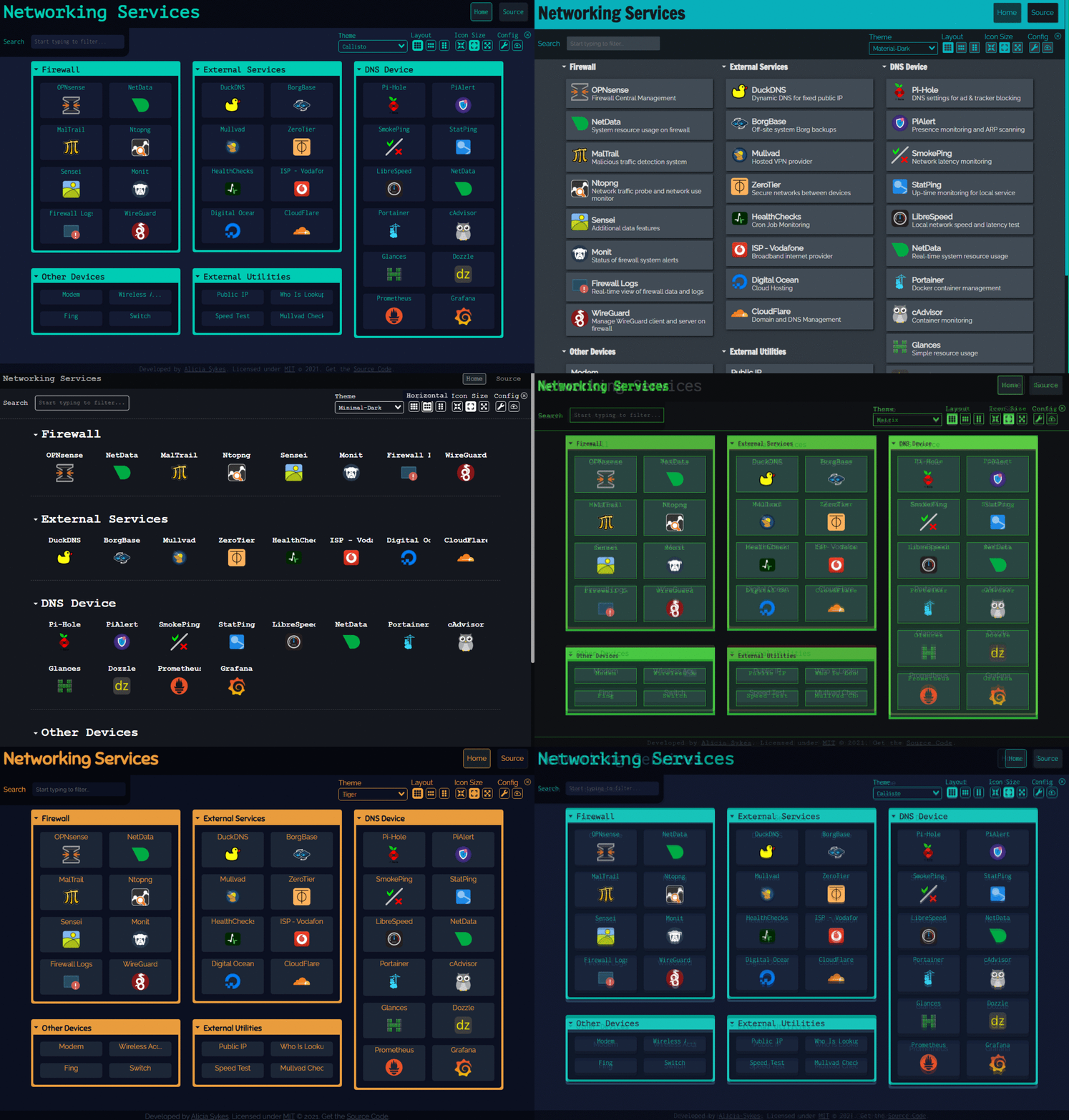
Make a Command Center Dashboard with Dashy
Dashy is a great (mostly) easy to configure dashboard. You can use it to organize all of your services. It also has some nice plugins for managing your network, monitoring your Pi, and organizing other useful information.
Stream Your Media with Jellyfin
Should you possess a lot of media files (movies, music, TV shows), however they may have been acquired, you can create your own Netflix-like service using Jellyfin. The Jellyfin UI will immediately be familiar to anyone who's used a streaming service in the past decade. You can even cast it to a TV. And if you don't legally own much media, you can still fill it with public domain movies and music from sources like Archive.org.

Turn Your Pi Into an Arcade with EmulatorJS
What Jellyfin is to movies and music, EmulatorJS is to retro video games. Play old games for NES, Genesis, N64, and more. Like Jellyfin, it's a "bring your own content" service. You'll need a collection of ROMS (which you've no doubt legally acquired) before it's of any use.

Host a Website with...So Many Options...
Having set up the Pi as a server and perhaps exposed a bunch of services to the internet, why not take the leap into making your own website? This website uses Express, JavaScript framework. Java fans rave about Springboot. Ruby on Rails is about the only use for Ruby. Pythonistas have Django and Flask. There are even some C and C++ frameworks for the completely masochistic. Make a homepage, curate your collection, create a family resource page, host a portfolio, or do whatever. With Authelia, you can even control who can access the page.